


How many hours a day do you spend on social media every day for business purposes? As a small business owner or a marketing professional, the answer is most likely: Way too much!
For me as a professional Inbound Marketer, I spend all day online. And jumping from one social media platform to the next, posting the same message, and attaching a picture and a link is very inefficient. It is an immense frustration. I hate wasting time. Well, luckily, if you are a Hubspot customer, it is your lucky day!
HubSpot Announces Social Inbox Tool
HubSpot announced today the general availability of its newest tool called Social Inbox. It is designed based on input of dozens of marketers who are dealing with the same social media frustration as I am.
It is meant to help prioritize how we spend our time online.
When HubSpot offered me to become a beta tester of Social Inbox, I was very excited to see all the new features!
Inbox lives in your HubSpot Portal under Social. To use it, you have to first connect your Twitter, LinkedIn, Facebook, Google+ Pages, YouTube, XING and Pinterest account.
Once you open your Inbox, you can start composing a message. If you already have used the social media and you will see a stream of any interactions, conversations and new followers. It is almost a little like a Facebook Feed, but less distraction.
You can filter your stream by social media account or (and this is for me much more helpful) by interactions, conversations or new followers.
Interactions
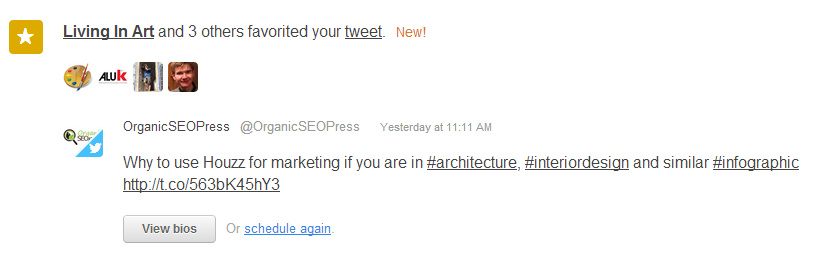
Filtering your stream by interactions will allow you to see the responses your HubSpot-shared content created in any connected network. This allows you to see which content performs better than others and who interacted with you on what topic.
The tool also gives you the option to reschedule this post at a later time or view the bios or the people who interacted with you.
Conversations
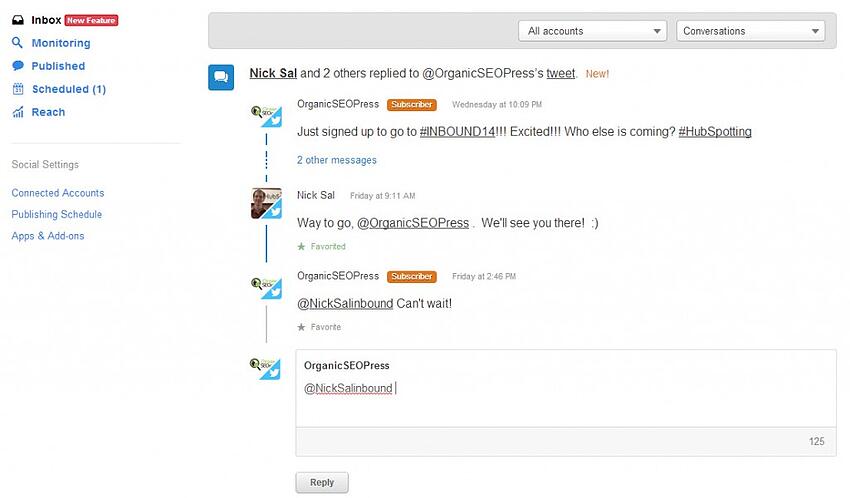
The conversations tab lets you see all conversations that recently occurred across all connected social media networks. Inbox allows me to respond to any conversations without ever leaving this tool.
Next to the name, it will show the status of the contact:
- Green - customer
- Orange - contact
- Black - brand new contact
- Grey - mismatch of data in database
New Followers
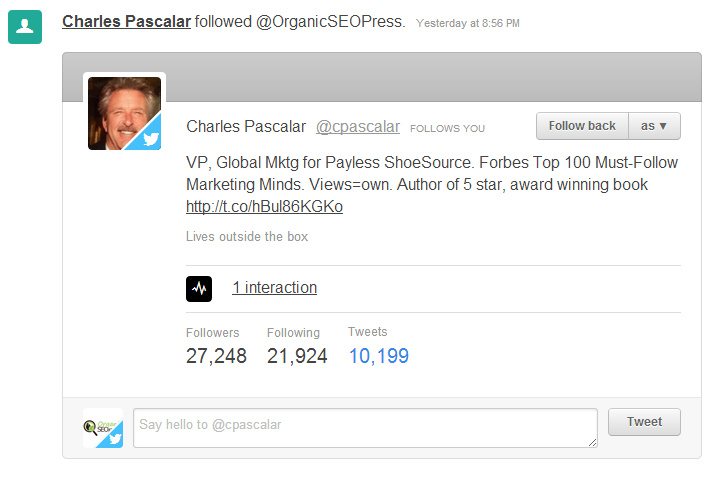
You can view all your latest followers in the New Follower tab. You can view their profile information right inside the tool, decide if you want to follow them back and under which account, see recent interaction with that person as well as how many follower and posts or tweets this person has. If you want to take the chance to thank them for following you or reach out directly you can do so right under the profile information.
Closing the loop
Social Media posting often times felt like shouting in the forest and then walking away without waiting for anything to come back.
Now with Social Inbox, Publishing, Monitoring and Reach, you can finally close the loop. You can post new content, interact with your audience, check out new followers and reach out if you feel it is appropriate and see what content is performing the best.
Social Inbox pulls all elements together and puts them at your fingertips.
Happy posting, liking & sharing!

10 Tips For The Perfect Social Media Post From The Masters
I just attended a very inspirational webinar called "The Art of the Perfect Social Media Post" with Guy Kawasaki (@GuyKa …

Tech Marketer: What You Should Ask Yourself About Your Social Media
According to CMI’s Technology Content Marketing 2019 report, 85% of tech content marketers use social media as part of t …

How to Adjust Your Content Strategy to Fit Today's Mobile-First Consumer
Today, HubSpot published its "State of Inbound 2016" Report (you can download the full report at the end of this blog po …
No Comments Yet
Let us know what you think